Reset Password
5 easy steps to reset your password:
We promise it's super simple to reset your password – just like how you'd expect to do it with any other ecommerce platform you shop with. We've listed below, step-by-step, the actions you need to take.
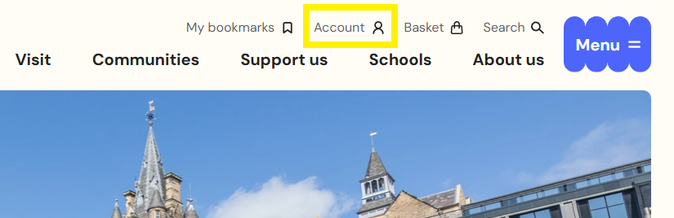
1. Find the Account option in the top menu
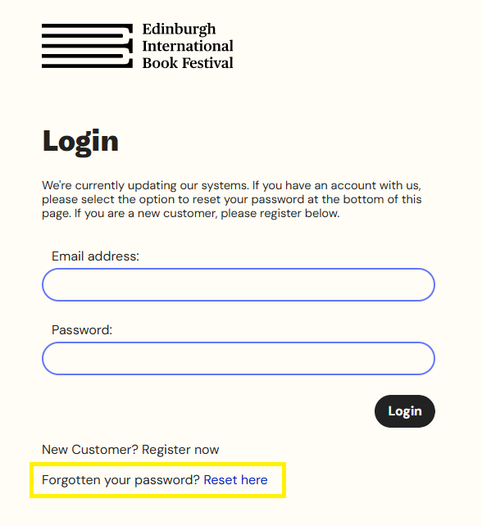
2. Select ‘Forgotten your password? Reset here’
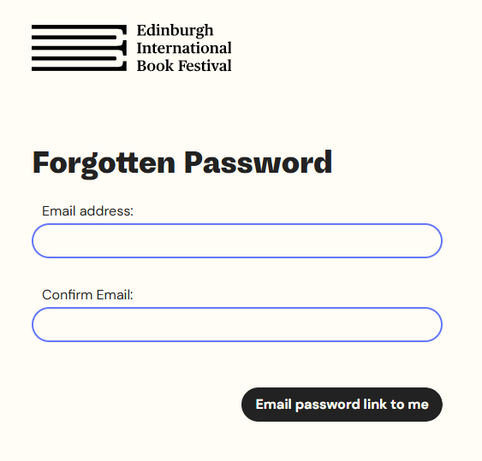
3. Enter your email address (twice)
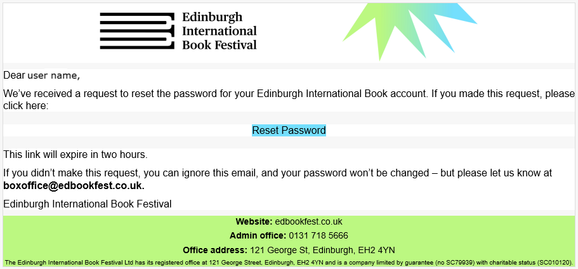
4. We will send you an email from our Box Office with a link. The link expires after 2 hours.
If the link expires, please repeat the process from the beginning.
Click ‘Reset Password’ in the email.
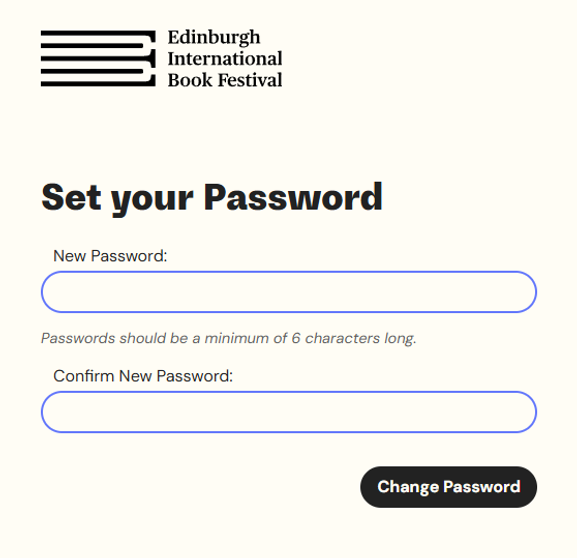
5. This will take you back to the website where you can set a new password.
You must enter this password twice to ensure it is correct and as intended.
If you have any questions about our website or would like more help, please email admin@edbookfest.co.uk.