Your account
A quick guide to your online Book Festival account
Below is a short guide to the different screens or tabs you will find in your Account on edbookfest.co.uk
You can update many of these details at any time.
Login
You can log in to your account by selecting 'Account' at the top of the page on desktop, or from the menu in the top right corner on mobile.
If you do not know your password you can select 'Reset here' and we will send you an email with a link to reset your password. For a full walkthrough, see here.

Details
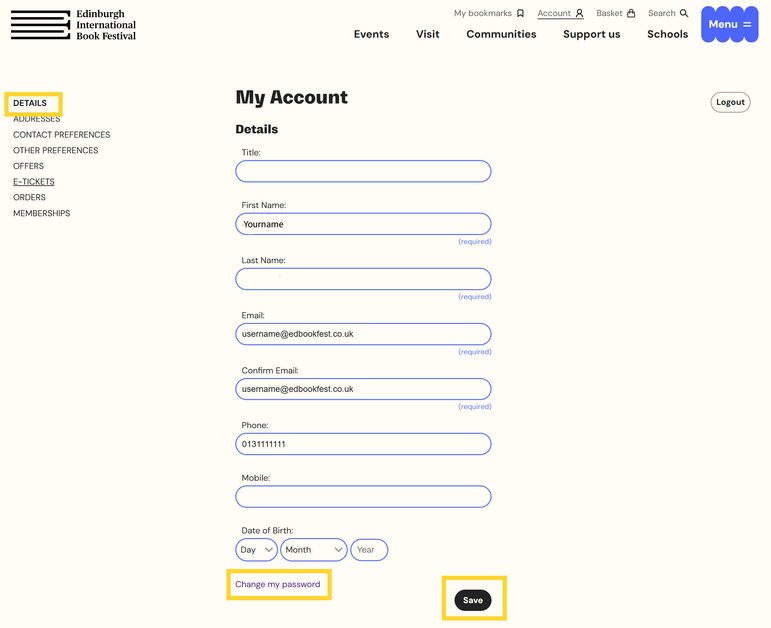
This is where you can edit or update the important information we hold about you like your name, email address, and phone number. Make sure to select 'Save' at the bottom of the page when making changes.
You can also change your password by selecting 'Change my password'. You will be asked for your current password. If you do not know your current password, please log out and follow the steps in this guide.
Addresses
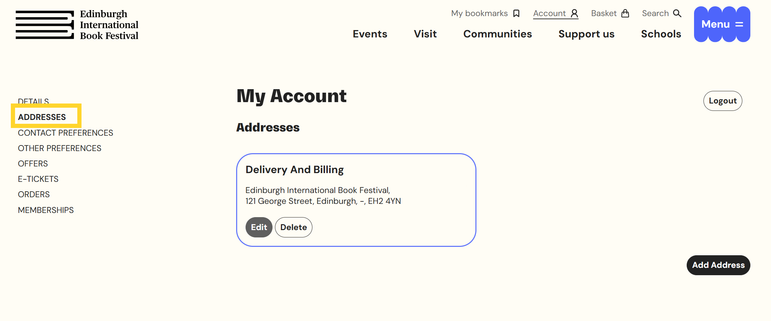
This is where you can add or edit your address. We use this address when you ask us to post you brochures or member mailings.
Contact preferences
This is where you give us permission to contact you. If you decide not to give us permission to contact you, you may miss out on important programme information.

Other preferences
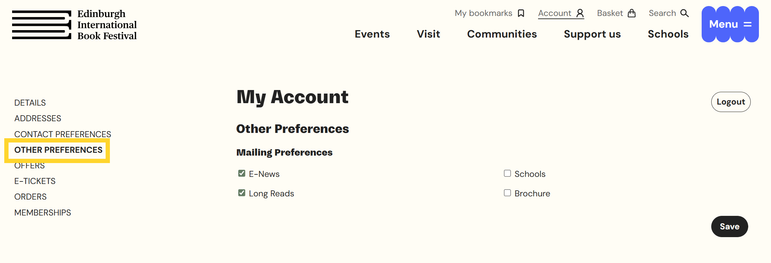
This is where you can tell us what kind of information you would like us to send you. Options include our monthly e-newsletter, our Long Reads newsletter featuring curated quotes from select authors, our Schools newsletter, and our printed Brochure.
You can update these preferences at any time.
Offers
This is where exclusive discounts and offers available to you will appear, if applicable.

E-Tickets
This is where you can view and download .pdf tickets for any event you have booked with us. Select the 'Download' button under the title of the event you would like and the .pdf file will be downloaded in your browser. Usually, you will then be able to find the file in the 'Downloads' folder on your device.

Orders
This is where you can see confirmation of all orders you make with the Book Festival. Order confirmation details can help our Box Office team assist you if you have questions about your booking.

Memberships
This is where you can find details of any memberships you have with us. When your membership is due for renewal you will find a link here to take you to renewal options. For more information about your membership, please contact our team at memberships@edbookfest.co.uk
