How to Book
Quick steps for booking your tickets online when there's a queue
Booking opens at 10:00 on Thursday 25 June
Getting ready to book tickets with us? We've listed below, step-by-step, the actions you need to take to snag a seat for your favourite events.
1. Register for an account at edbookfest.co.uk
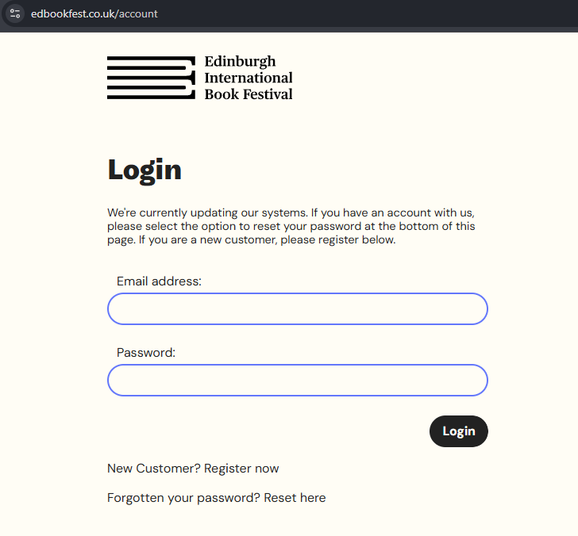
2. Already have an account? Make sure you know your password and log in - use 'Forgot password' if unsure and you'll be sent an email with a link to reset your password. You can read our help guide here.
- We recently updated our systems, so if you haven't changed your password recently you will need to do so before booking tickets
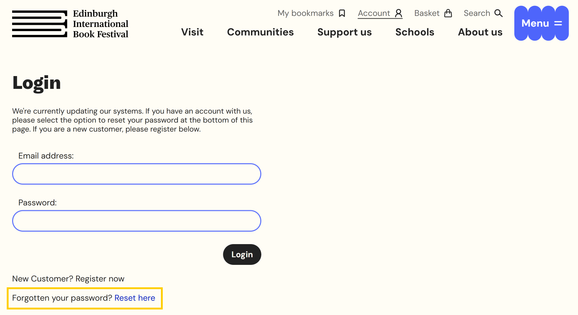
3. Make sure you are logged in and then visit our Events page to browse our programme.
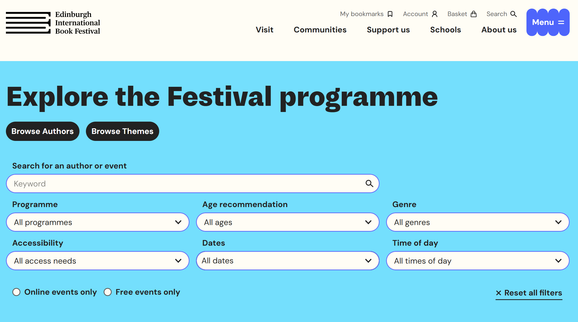
4. Select ‘More Info’ on any event to find out more. Or hit ‘Book tickets’ to go straight to the seating plan to select your tickets
5.1 We are running Advance Booking for members
- Members must be logged in to be able to book tickets online
- Members: Select 'Advance booking' on the individual event page to access our seating plan and add tickets to your basket.
- Booking opens for Benefactors Wed 17 June at 10:00
- Booking opens for Champions Fri 19 June at 10:00
- Booking opens for Friends Plus Mon 22 June at 10:00
- Booking opens for Friends Tue 23 June at 10:00
- Booking opens for the public on Thu 25 June at 10:00
All times above are BST
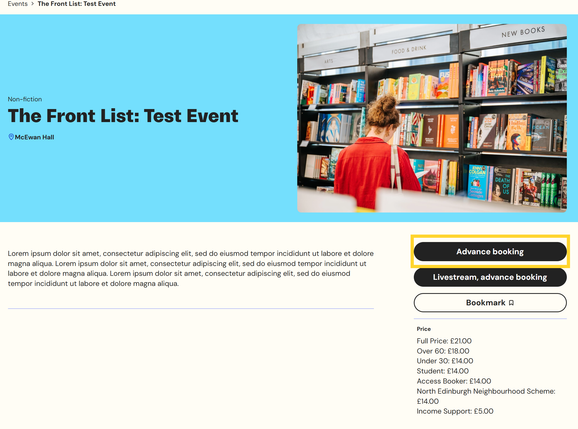
6. For general public on sale there will be a queue operating on our website
Public booking: To be entered into the queue, visit an event page you would like to book tickets for and select 'Book tickets' and you will automatically be entered into the queue.
- Please stay on the page and monitor your place in the queue. If you leave the queue page you will lose your place and will have to start again on an event page
- Once you have reached the front of the queue you have 10 minutes to begin your booking. Baskets will timeout after 10 minutes of inactivity. If your backet times out, you'll be returned to the queue.
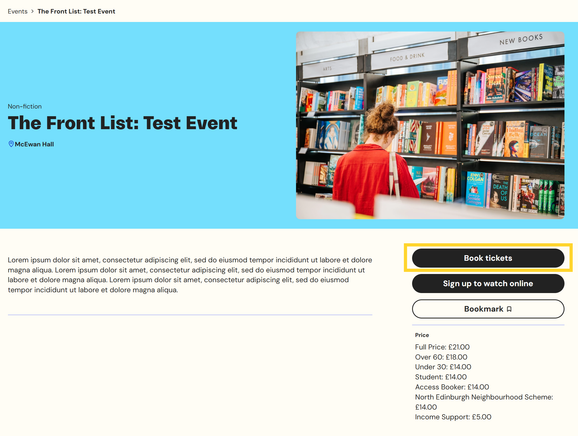
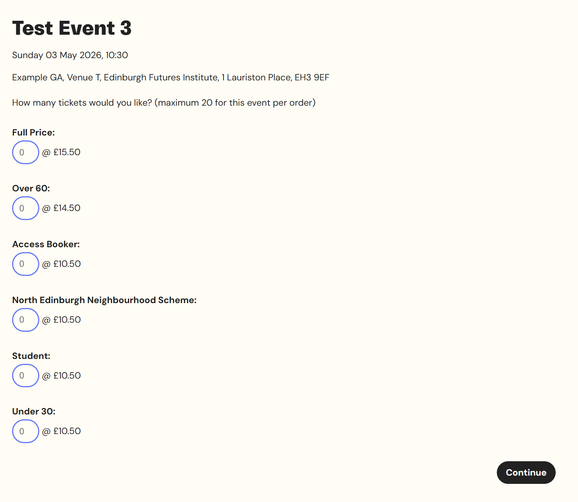
7. When you reach the front of the queue you will be able to select how many tickets of each price type you would like.
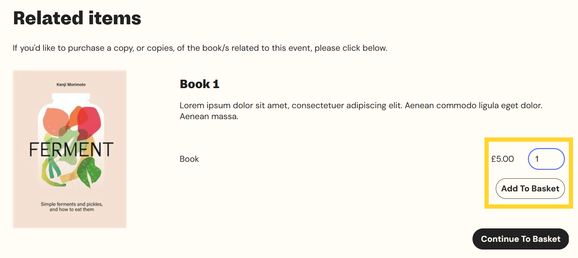
8. You may be asked if you would like to buy a book with your ticket purchase for some events, if there is one available.
- Enter the number of books you would like and then make sure to click 'Add to basket'
- Then select 'Continue to basket'
- If you don’t want to add a book, select ‘Continue to basket’, without selecting ‘Add to basket’
9. Confirm your basket is correct or select 'Continue Browsing' to return to our events listings to add more events to your basket
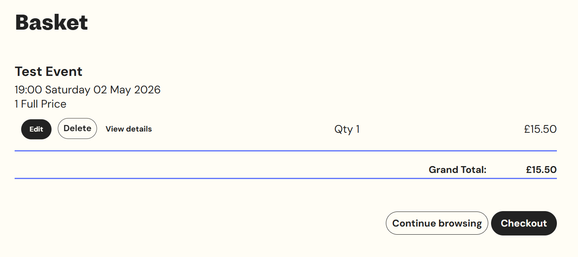
10. Once you are happy with your order select 'Checkout'
11. Enter and/or confirm your Personal Details in the Checkout
- Baskets will timeout after 10 minutes of inactivity. If you don't complete and pay for your order within 10 minutes of adding your final ticket, you will be added back into the queue
- You must complete your transaction on the same device. If you change device you will lose your basket
12. Review your Order Summary and check that you agree to our terms and conditions
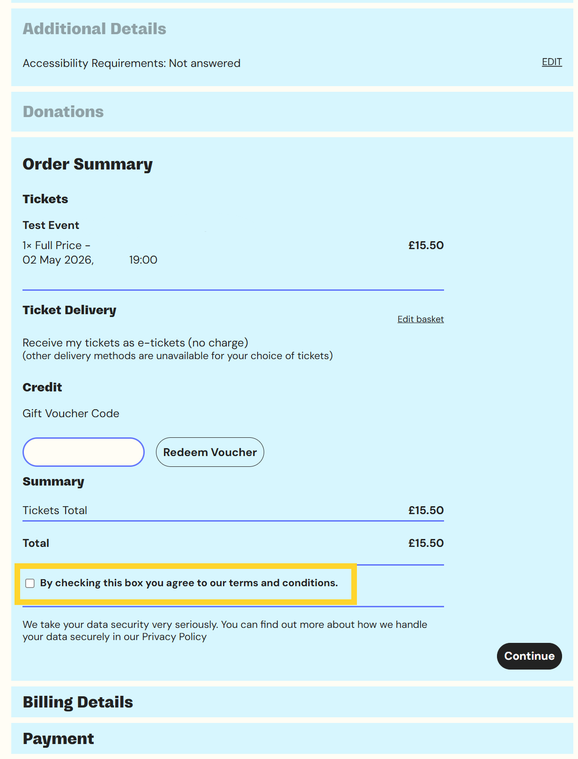
13. Enter your Billing address and Payment details
14. You will receive your order confirmation and tickets by email:
- An order confirmation will come from confirmation@boxoffice.edbookfest.co.uk
- You will receive one email for each event you’ve booked, containing the tickets for that event. This will be sent from Edinburgh International Book Festival tickets@edbookfest.co.uk
- These tickets can be added to an Apple or Google Wallet if you choose
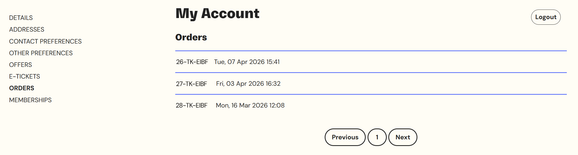
15. You can also see your orders and tickets by logging in to your edbookfest.co.uk account here
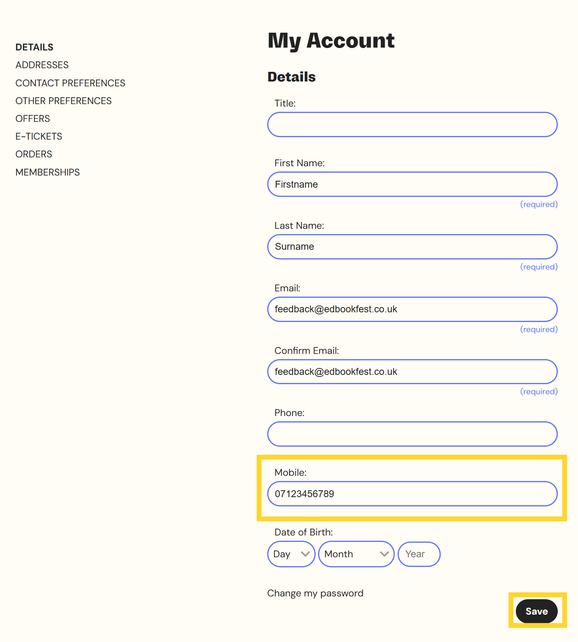
16. To save digging in your inbox, if we have your mobile number, you will be sent a text message containing a link to your tickets 24 hours before your event. Otherwise, you’ll receive an email containing a link to your tickets 24 hour before your event.
- To add a mobile number to your account, login to our website and visit My Account. Under the ‘Details’ tab you can add a Mobile number and click ‘Save’ at the bottom of the page.
Helpful answers to your Booking FAQs
Booking
Box Office opening hours
Our Box Office is currently open 10:00–17:00, Monday to Friday.
Please email boxoffice@edbookfest.co.uk with any enquiries or phone our team on 0345 373 5888.
Box Office telephone
We have a small friendly team dealing with phone bookings and enquiries; please only use the phoneline if you cannot book on the website. It will help to reduce wait times for customers who cannot book in any other way or need assistance. We will do our best to deal with calls quickly, however you may not get through immediately.
Box Office phoneline: 0345 373 5888
Calls are charged at the same rate as a local call to a landline. Please check your mobile contract as network charges may differ.
How do I book tickets online?
Looking forward to booking tickets with us? We've listed a quick step-by-step guide to help you get familiar with our new website booking process. Visit our 'How to Book' guide here.
If you're having trouble, you can call our Box Office at 0345 373 5888.
Booking tickets in person
During the Festival, our Box Office counter is located just off Middle Meadow Walk just outside the Book Festival entrance at Edinburgh Futures Institute and open daily from Saturday 15 August: 09:30–20:45. Tickets cannot be bought in person before this date.
Pricing
All livestreamed events are Donate What You Can
Events for children range from £0 to £6 for children, and £0 to £8 for adults.
Events for young adults range from £0 - £15.50
Events for adults range from £0 - £21 and some are Pay What You Can (see below)
Creative workshops and special events have variable pricing.
Concession ticket prices
We believe everyone should have the opportunity to enjoy the wonders of storytelling, creativity, and inspiring conversation at the Book Festival. That’s why we offer reduced ticket prices for anyone over 60, students, those under 30, recipients of Income Support, and visitors with disabilities (assistants go free – see below for details). Concession prices for each event are listed in brackets. Tickets for those over 60 are £14.50 unless otherwise stated. The £6 child ticket is for under 18s.
Pay What You Can tickets
We offer a Pay What You Can (PWYC) pricing option for some of our in-person events and all our livestreamed events. PWYC makes the Festival more accessible to all book lovers, and you can select how much you can pay at point of booking.
By purchasing at our standard ticket price (£15.50 full price), you help us continue offering reduced ticket prices to those who need it most, as well as supporting the Book Festival. As a charity, we rely on ticket sales and donations to carry out our work throughout the year.
Assistance tickets
If you need a support person or aide to attend events at the Book Festival, they are entitled to a free assistance ticket. Contact the Box Office by email boxoffice@edbookfest.co.uk as soon as possible after booking your ticket. Please do this even if you book a disabled concession ticket - this does not automatically provide a free companion ticket or specific seating. Free assistance tickets cannot be booked online. For popular events or on the first day of bookings, we recommend purchasing an extra ticket for your assistant, then contacting the Box Office for reimbursement. However, if this creates a financial barrier to booking, we do also have a small number of tickets held back for this purpose.
Baby tickets
If you are bringing a baby under two years to an event for older children, please request a free baby ticket from the Box Office on the day of the event. If the event is created for children under two, you will need to buy an event ticket as usual. Please keep babies on an accompanying adult's lap throughout the event.
Payment and fees
We accept Visa / Maestro / Mastercard. We do not charge any booking fees. If you’ve chosen to Pay What You Can to watch an event, your payment will be treated as a donation to the Book Festival Charity, and you will be asked if you’d like to Gift Aid it (UK taxpayers only).
Refund policy
Tickets can be exchanged or refunded when an event is cancelled or substantially changed. Where demand is high for sold-out events, we may accept returns at our discretion. If you’ve booked a ticket to watch an event in-person you’ll be able to watch the event online for free if you find you can’t attend (if the event is being livestreamed). Refunds are not available to latecomers.
Venue seating
All venues have unreserved seating. Find out more about our venues here.
Latecomers
Please allow yourself plenty of time to get to the event venue. We may not be able to t admit latecomers after the start of events in some of our venues due to layout and nature of the events (some of which are filmed). If you are late, we can’t guarantee we can seat you. Latecomers are not entitled to a refund.
In-person and livestreamed events
Our largest capacity venues, Venue T at EFI ,and McEwan Hall are set up to serve both in-person and online audiences. The theatre will have a range of fixed and roving cameras to capture and broadcast live footage of the authors on stage and may also capture shots of the audiences watching or asking questions.
On demand
Lots of our online events are available to watch on demand on the website’s video player pages immediately after the live broadcast – and more events are added to watch on demand in the months following the Festival. Please visit the individual event page to see how long a specific event may be available on demand as this can vary. Not all livestreamed events are available on demand, depending on permissions.